Bring in prepaid customers when you need them
Set weekly off-peak discounts and short flash sales. Customers prepay into Liquid, order ahead and pick up with a code.

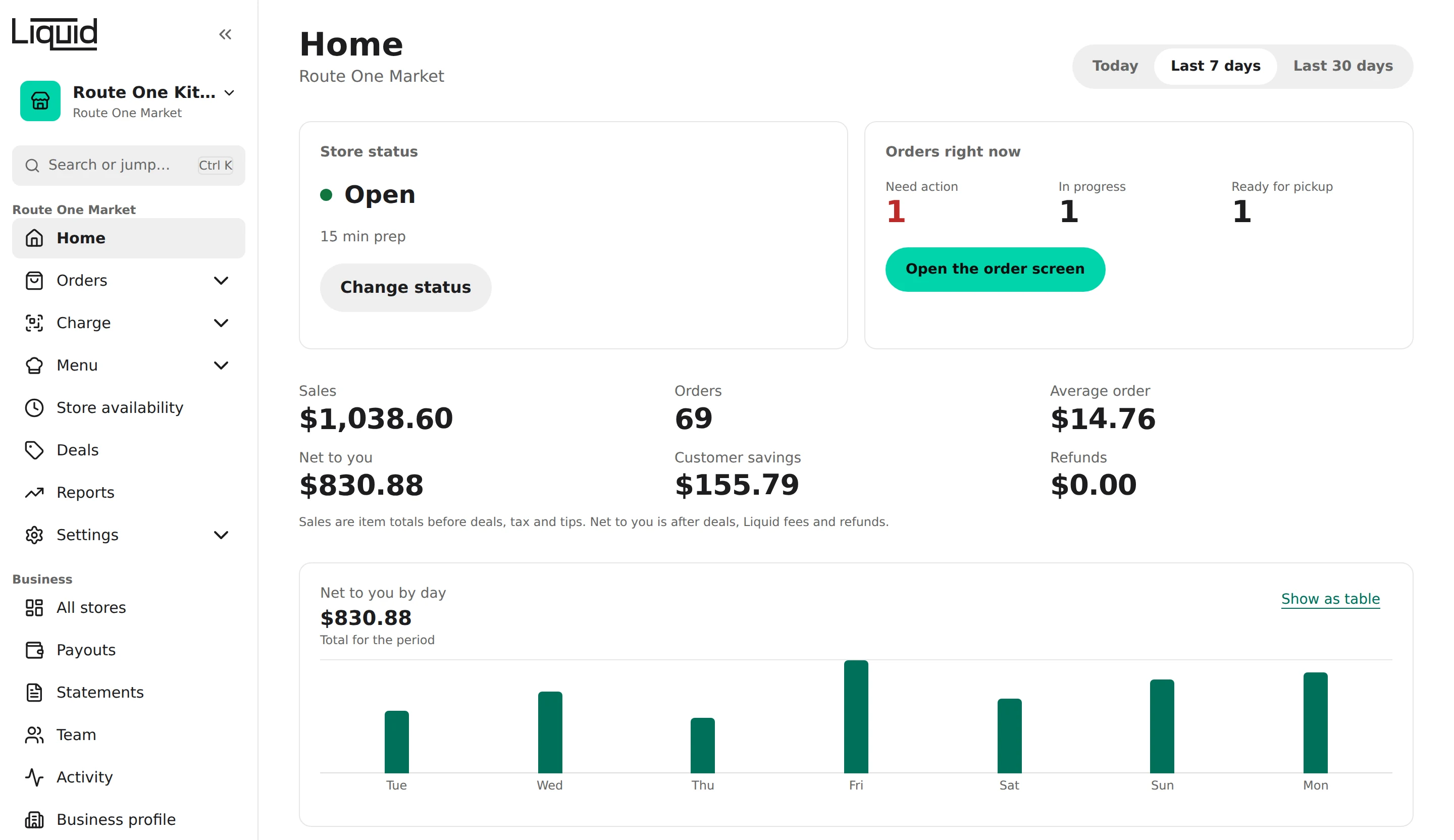
How it works
 1
1Pick your hours
Set weekly off-peak discounts for your quiet times, or a flash sale for this afternoon. You choose the percent.
 2
2People nearby find you
Your deals show in the Liquid app. Customers prepay into Liquid, order ahead and pick up with a code.
 3
3Get paid every week
Payouts go out every Monday through Stripe, for orders at least 7 days old.
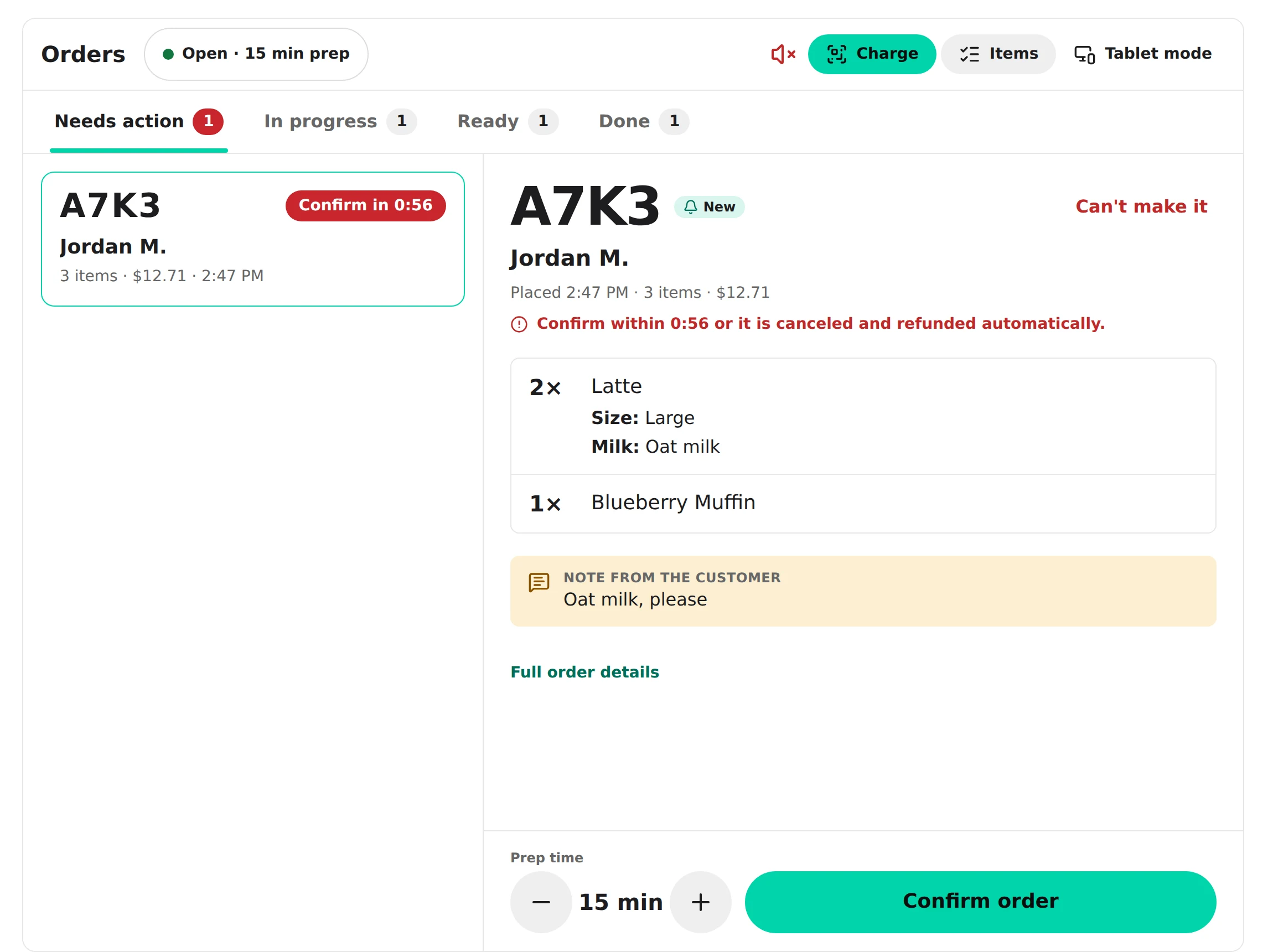
Orders, your way
Orders go straight into Square, ring on the order screen on a tablet at your counter, or come as counter tickets with no tablet at all. Every order also shows in the portal with a clear status.
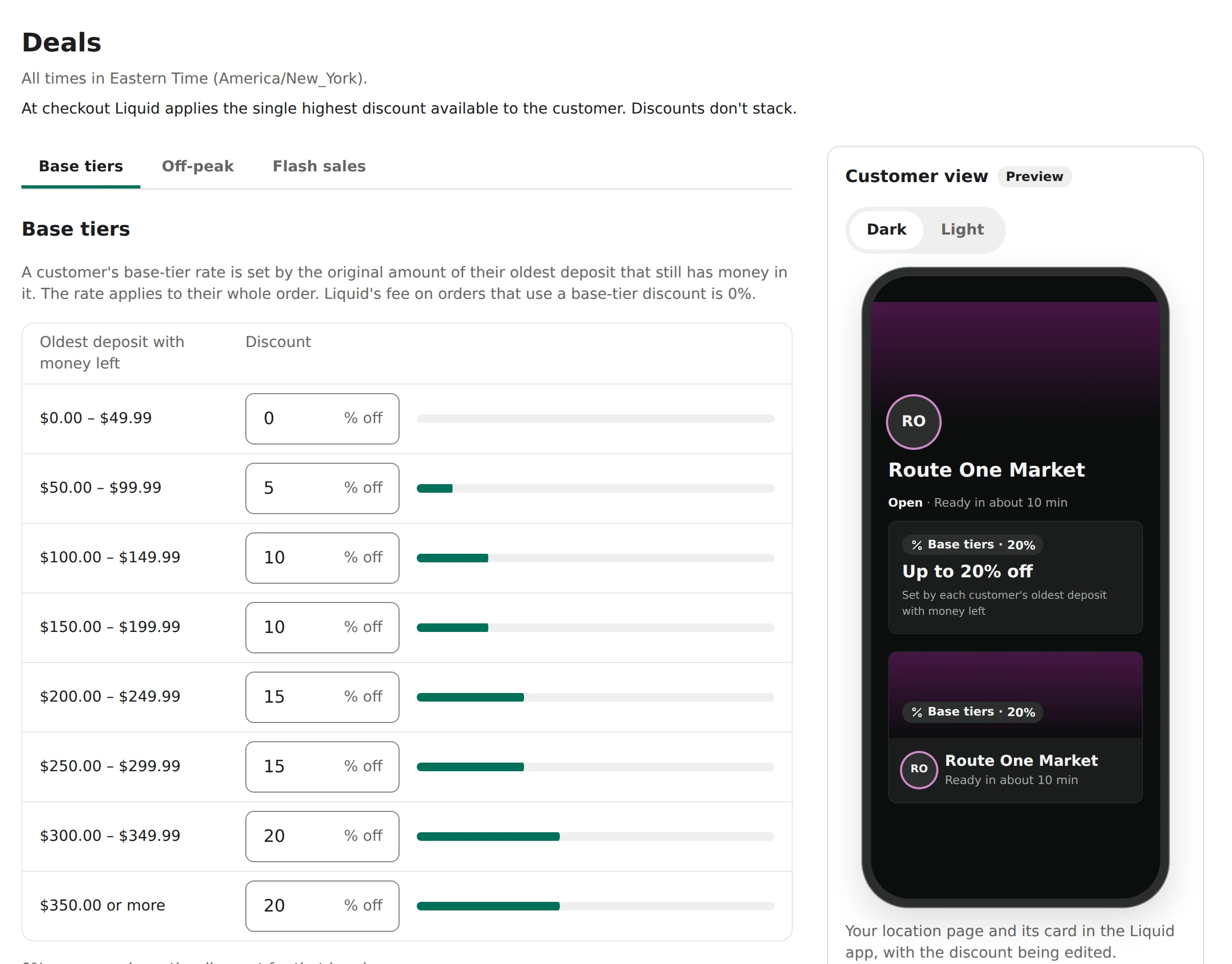
Your deals, your hours
Lock-in tiers for regulars who commit money to your spot, weekly off-peak windows and flash sales, with a preview of exactly what customers will see before you save.
How the money works
Liquid charges no fee on your sales. You receive the full discounted price of every item, and tips and sales tax are passed to you in full.
0%
Liquid's fee on items at full price or a lock-in rate
0%
Of the discounted price, only on items your flash sale or off-peak discount prices
| What priced the item | Liquid's fee |
|---|---|
| Your flash sale | 0% of the item's discounted price |
| Your off-peak discount | 0% of the item's discounted price |
| Your lock-in rate, or full price | 0% |
Preview a flash sale
ExampleChoose a whole-percent discount for an example order of $20.00.
Discount30%
14 dollars before tax and tip
Liquid's fee: 0% of 14 dollars = 0 dollars
A worked example
- Customer pays
- 20 dollars and 56 cents
- Sales tax
- 1 dollar and 2 cents
- Tip
- 2 dollars and 55 cents
- Liquid's fee
- 0 dollars
- You receive
- 20 dollars and 56 cents
A $19.99 order with your 15% flash sale on the whole menu: the customer saves $3.00 and pays $20.56 including 6% tax ($1.02) and a 15% tip ($2.55). You receive $20.56.
The same order paid at a 10% lock-in rate: the customer pays $21.77 including tax ($1.08) and tip ($2.70); you receive $21.77.
Your rates are shown in your portal.
Payouts
Liquid pays out once a week, on Mondays, by Stripe transfer, for orders that are at least 7 days old and not refunded. Each payout shows its orders, discounts, tax, tips, refunds and payout fee. Stripe sends it to your bank on Tuesday, and it usually arrives one or two business days later.
Stripe charges a fee for each payout it sends to your bank account: 0.25% of the payout plus $0.25. This payout fee is deducted from each weekly payout, and Liquid pays Stripe's monthly fee for your Stripe account. For example, a week with $100.00 to pay out has a payout fee of $0.50, and $99.50 is sent to your bank.
- Order
- At least 7 days old
- Weekly payout
Refunds and disputes
Owners and managers can refund an order in full, or refund single items of it, to the customer's Liquid wallet until it's included in a payout, and anyone on your team can cancel a new order you can't make. Other partial refunds, and refunds after a payout, go through Liquid support.
Card disputes are between the customer and Liquid; a dispute on a customer's deposit doesn't reduce your payouts.
Tools in your portal
Orders board
Live orders with sound alerts, a clear status for each order, and an unclaimed list.
Menu
Categories, items with photos, and a sold-out switch your staff can use.
Three kinds of discount
Lock-in tiers, weekly off-peak windows and flash sales, with a preview before you save.
Hours and closures
Opening hours, overnight hours and closures, in your local time.
Your spot's link
A web address for your spot, like liquidwallet.co/l/your-spot, to share on your website and social media. It opens your spot in the Liquid app.
Reports
Daily totals by business day and a CSV export for your bookkeeping.
Team roles
Owners, managers and staff, each with the right access, optionally per location.
Payouts with Stripe
Stripe Express onboarding in the portal and a breakdown of every payout.
Tablet login
A separate sign-in for each store's tablet, with staff access to that store only.
New to Liquid? Start here
A four-minute read: what Liquid is, what it does for your spot, how orders reach you and how you get paid.
How joining works
- 1Apply below.
- 2Liquid reviews your application and e-mails you.
- 3The owner accepts the e-mail invitation and chooses a password.
- 4Accept the Merchant Terms and connect Stripe for payouts.
- 5Add your menu, hours and discounts.
- 6Liquid activates your location.
What you need
A US business and a Stripe Express account for payouts. You can create the Stripe account during setup.
Apply to join

Apply to join Liquid

Questions from merchants
How do I join?
Apply on the For merchants page. Liquid reviews your application and e-mails you.
Is there a guide for merchants?
Yes. The Merchant Guide is a three-minute introduction: what Liquid is, what it does for your spot, and how you get paid. You can also read it as a PDF or download it.
What does Liquid cost?
Liquid charges no fee on your sales. You receive the full discounted price of every item, and tips and sales tax are passed to you in full.
When do I get paid?
Liquid pays out once a week, on Mondays, by Stripe transfer, for orders that are at least 7 days old and not refunded. Each payout shows its orders, discounts, tax, tips, refunds and payout fee. Stripe sends it to your bank on Tuesday, and it usually arrives one or two business days later.
How do refunds work?
Owners and managers can refund an order in full, or refund single items of it, to the customer's Liquid wallet until it's included in a payout, and anyone on your team can cancel a new order you can't make. Other partial refunds, and refunds after a payout, go through Liquid support.
What happens if nobody confirms an order?
Confirm every new order within 5 minutes. An order that isn't confirmed in time is canceled and refunded in full, and your spot is paused until you resume. Keep the order screen open while you're open: if no order screen checks in for 5 minutes, your spot is paused too.
How do I add staff?
Owners invite people from Team in the merchant portal, as a manager or staff member, for all locations or specific ones. Only Liquid support can add another owner.
I lost my authenticator app
Contact support from the e-mail address on your Liquid account. We verify your identity before we reset two-step verification.
How do I change my address, name or tax rate?
Liquid support changes these. E-mail us from the address on your Liquid account.